Skip to content
Key Takeaways
- PCGS photographs TrueView coins raw, before they’re encapsulated.
- PCGS’s photographer has said they do “very, very little post processing.”
- Collectors are split. Some praise the consistency, while others feel the images look better than the coin in hand.
- Toning colors shift with the angle of light, so true color comes from consistent lighting in camera, not from saturation sliders.
- Mirror fields on proofs and prooflike coins go black under side lighting. Axial lighting makes them bright.
How Are TrueView Photos Made?
According to the PCGS TrueView page, photography “can take place at any point in the grading process but always before the coin is encapsulated.” On Collectors Universe in 2017, PCGS’s photographer (posting as PCGSPhoto) wrote that “we do very, very little post processing.” Most editing, he said, is choosing an image, rotating it and aligning it in a template. He also wrote that “PCGS feels that it’s best I keep the specifics of my equipment and techniques secret.” The exact setup isn’t public, so we won’t guess at it.
The Debate, Fairly
From the same Collectors Universe thread:- Critical: “To me it felt the picture was juiced and I was left disappointed with the coin in hand.” (mkman123)
- Supportive: “With a single photographer, single camera, single lighting setup, and single processing procedure on the front end — the coins can be compared side by side in an accurate way.” (WingedLiberty1957)
- Supportive: “on the whole True View images appear ‘unprocessed’ (to me).” (lkeigwin)
- On proofs: “When the fields are lit, the coin is a headlight, any toning in the fields is shown, and just about any hairline or minor mark is made invisible.” (airplanenut)
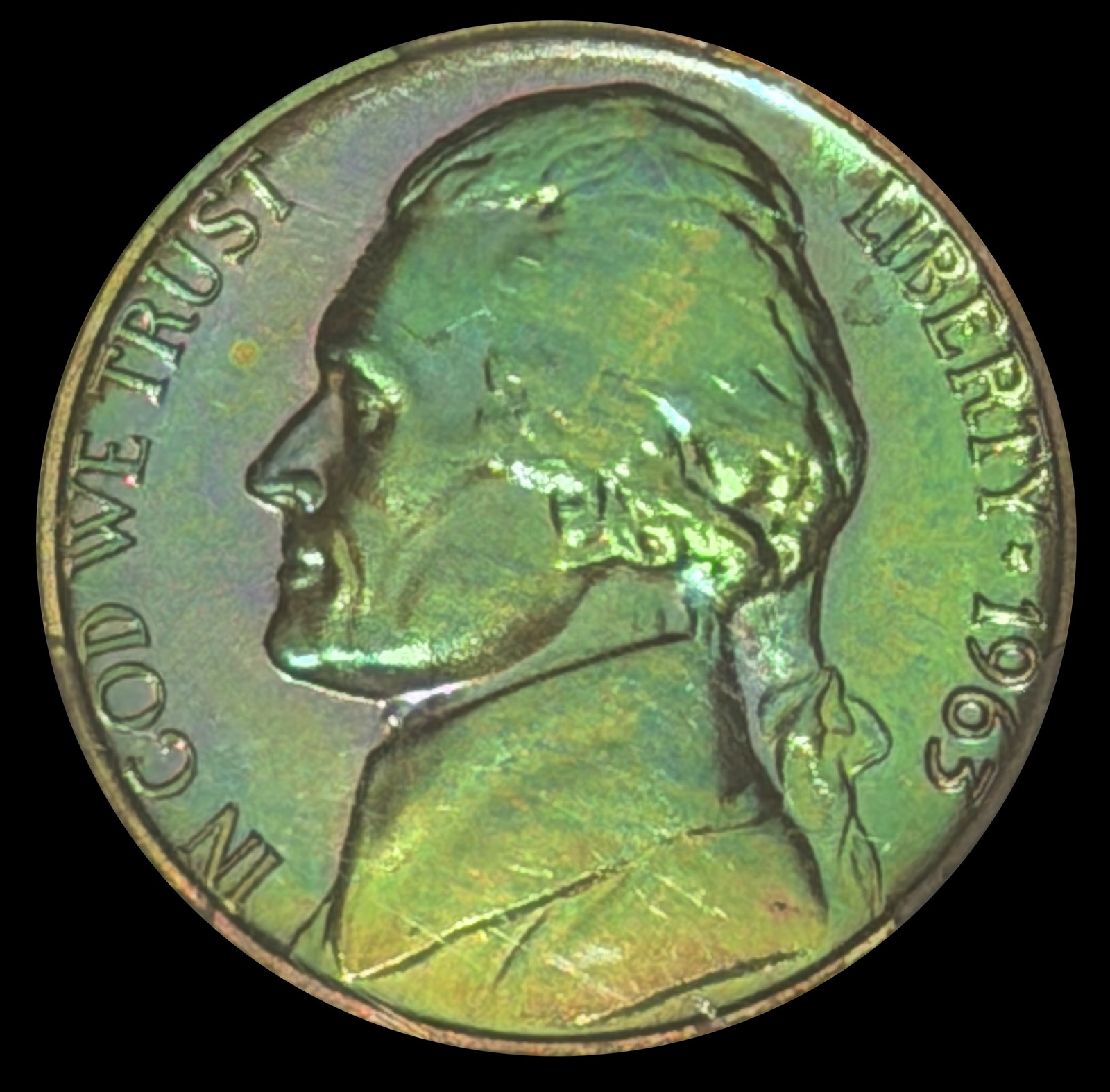
Why Are Toned Coins the Center of the TrueView Debate?
Toning is a thin film on the coin’s surface, and its colors change with the angle of the light. Tilt a toned coin under a lamp and blues can turn gold, or magenta can fade to brown. That’s why two honest photos of the same coin can look different, and why some collectors suspect a vivid image was pushed in editing while others say it simply caught the toning at its best angle. Both can be true; the photo alone rarely tells you which.
If you want true color in camera, keep it simple and repeatable:
- Keep the light angle consistent from coin to coin, and note what you used.
- Set white balance from a gray card under daylight-balanced lighting devices.
- Use soft tone lighting that reveals the toning without glare.
- Limit editing to basic color and contrast, and skip the saturation boost.
The Halumin-C (patent pending) has a dedicated tone lighting system for exactly this, so the color you see in hand is the color you capture in a single shot.
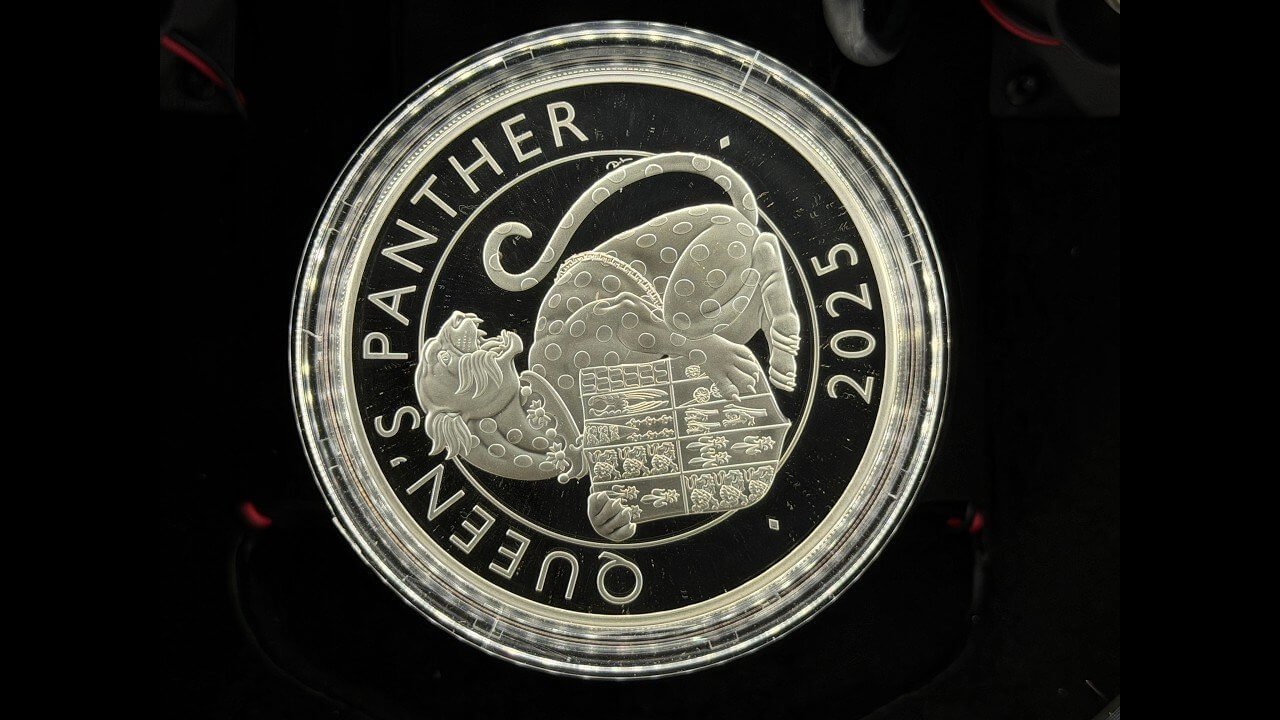
Why Do Proof Fields Go Black?
A proof coin’s field is a mirror, and it reflects whatever is directly above it on the lens axis. Under side lighting, that’s the dark camera, so the field goes black (the “cameo” look). To make the field bright, the light has to come from where the lens is.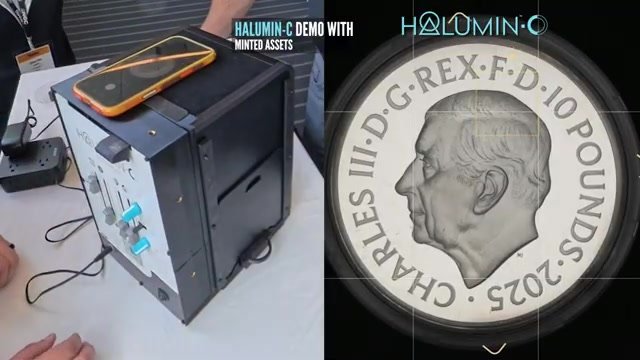
What Is Axial Lighting, and Can I Build One?
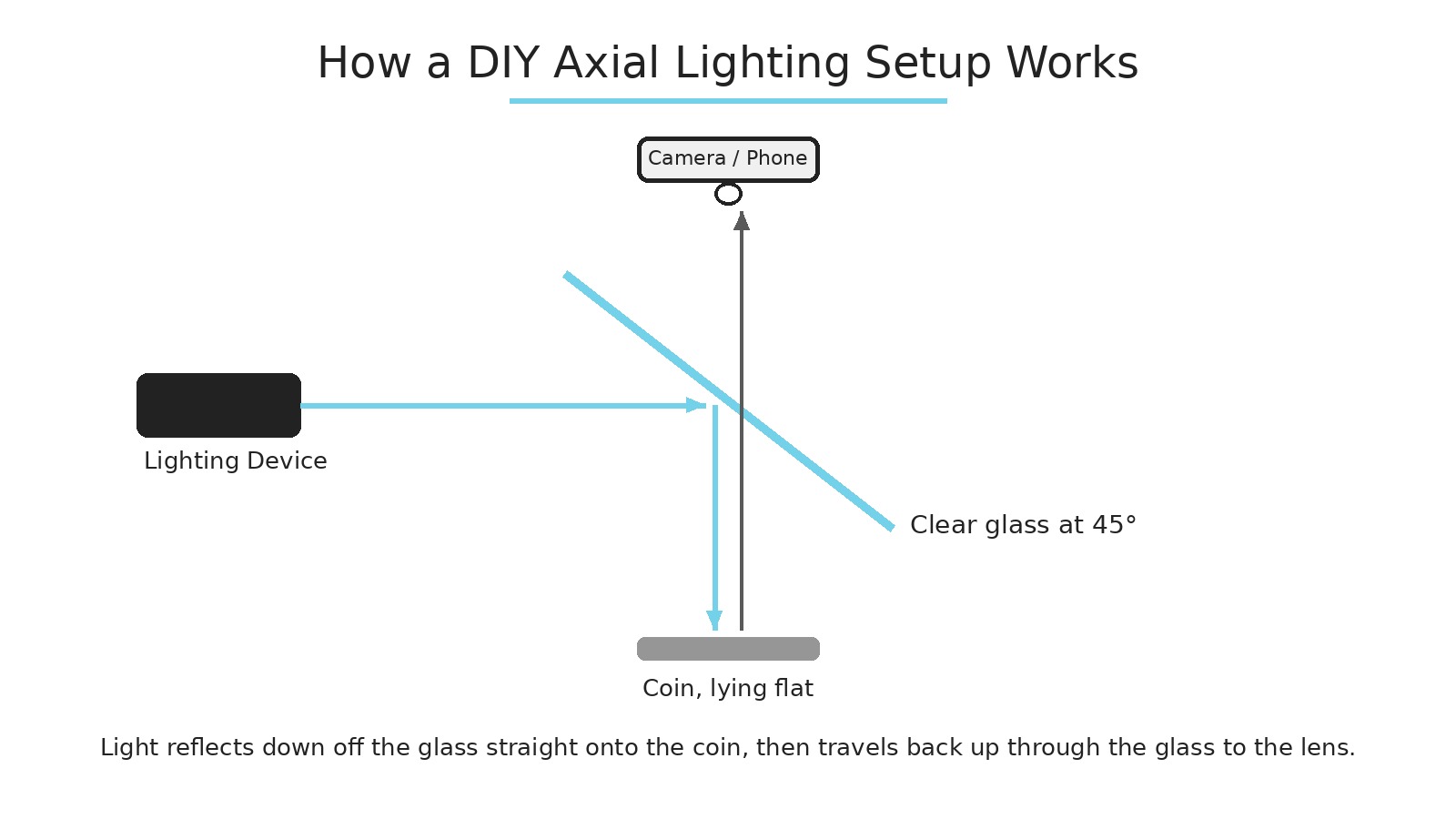
Axial lighting puts a lamp off to the side, shining into a clean piece of glass set at 45 degrees between the lens and the coin. The glass sends light straight down onto the coin, and the lens shoots through the glass. You can build one with a clean glass plate and a lamp, but it takes care to keep the glass spotless and perfectly angled, and to keep the coin level. Tilting the coin even a degree or two throws the reflection off part of the field.- Level the coin precisely.
- Use axial lighting for bright fields.
- Add a little low-power angled fill so frosted design elements keep their contrast.
- Set white balance from a gray card with daylight-balanced sources.
Step-by-step tutorial: photographing slabbed proof coins with the Halumin-C.
When Is Axial the Wrong Choice?
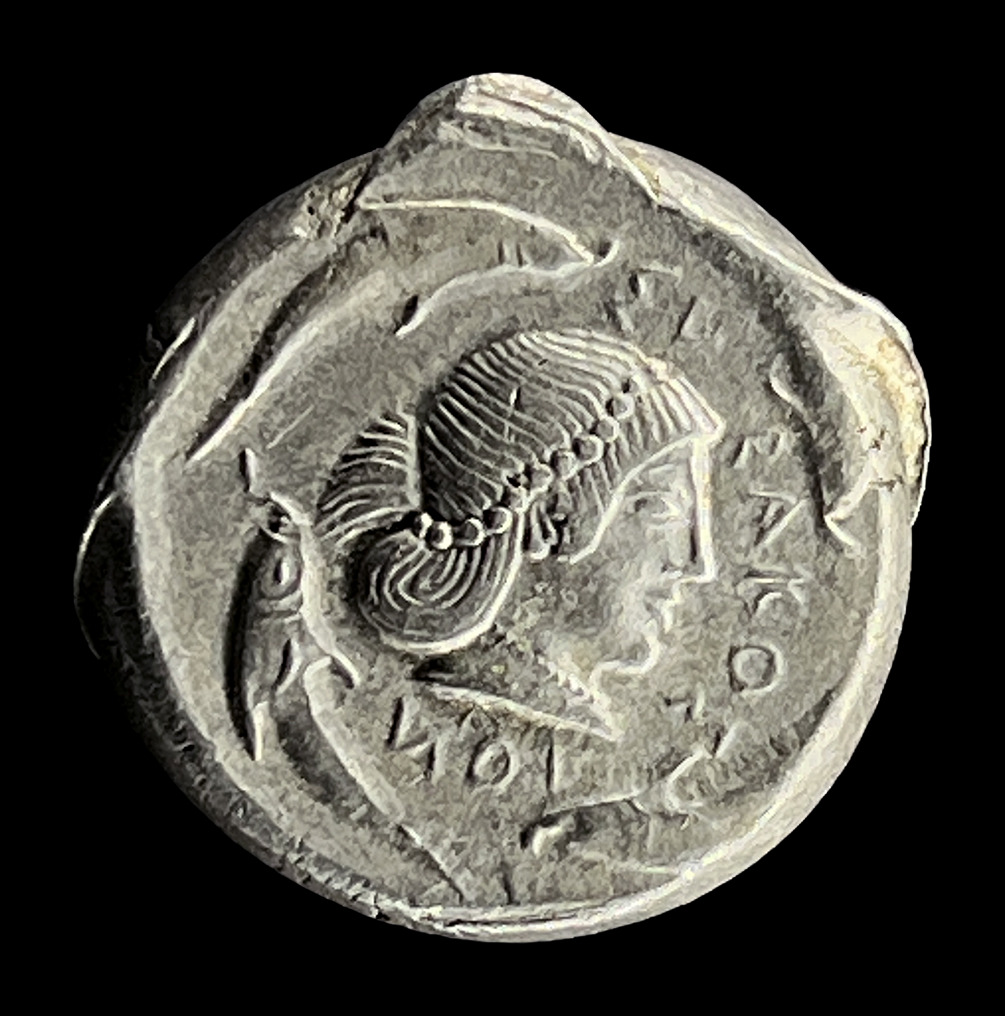
Ancient coins, heavily worn coins and most business strikes usually look better with directional light that shows relief and patina. Save axial lighting for flat, reflective or mirror-like surfaces, or blend a touch of it in to lift the fields.
Halumin’s Approach: The Best Image in Camera
The Halumin-C (patent pending) aims for the optimal image in camera, in a single shot, so it needs only basic color and contrast adjustments afterward. It combines three lighting systems in one device (axial, tone and open cylindrical lighting), so you can balance bright mirror fields against frosted design elements and bring out true toning color. If you prefer, you can also take multiple exposures with Halumin and combine them in post. It works with your phone or camera, with no downloads, subscriptions or AI.Part 1: photographing Minted Assets silver proofs with the Halumin-C at the World’s Fair of Money.
Handy Gear for This Kind of Shoot
- Dust blower: WOLFBOX MF100 electric air duster. Dust shows up on shiny coins and holders, so I give each coin a quick blast before I shoot it.
As an Amazon Associate I earn from qualifying purchases.
Frequently Asked Questions
What Is the TrueView Look?
It is the style of PCGS TrueView images: raw coins photographed before encapsulation under carefully set-up lighting, often with bright, glowing fields and vivid toning.Are PCGS TrueView Photos Edited?
PCGS’s photographer has said they do “very, very little post processing”; most editing is selecting, rotating and aligning the image. Some collectors still feel certain images look brighter or more saturated than the coin in hand.Why Do Toned Coins Look Different in Every Photo?
Toning colors shift with the angle of light, and saturation edits can push them further. For true color, keep the light angle consistent, set white balance from a gray card and use soft tone lighting, then make only basic color and contrast adjustments.Why Do Proof Fields Go Black in My Photos?
A proof field is a mirror that reflects whatever is on the lens axis. Under side lighting that is the dark camera, so the field goes black. Axial lighting makes it bright.What Is Axial Lighting?
Light reflected straight down onto the coin by clean glass set at 45 degrees between the lens and the coin, so the lens shoots through the glass and mirror fields reflect light.How Do I Get Bright Fields With Frosted Design Elements?
Use axial lighting for the fields and add a little low-power angled fill so the frosted design elements keep contrast. Keep the coin perfectly level.When Is Axial Lighting the Wrong Choice?
On ancients, worn coins and most business strikes, where directional light shows relief and patina better. Use axial for mirror-like surfaces or blend in just a touch.Can the Halumin-C Combine Multiple Exposures?
The Halumin-C aims for the optimal image in a single shot with only basic color and contrast adjustments, but photographers can also take multiple exposures with it and combine them in post if they choose.Summary
The TrueView look is a debate worth having, but the physics is simple: mirror fields reflect what’s on the lens axis. Axial lighting with a little angled fill, plus consistent tone lighting for toned coins, gets bright, accurate coins in camera, and that’s what the Halumin-C is built to do. Want to go deeper? Read the complete Halumin-C coin photography guide or see the Halumin-C overview page.Disclosure: this guide is published by Halumin, maker of the Halumin-C (patent pending) and the Halumin H18 (U.S. Patent No. 12,181,778). All of the techniques here also work with the gear you already own.
See Halumin in person: catch our live lighting device demos at an upcoming coin show or event.