Skip to content
The Halumin coins had just come in, one-ounce copper coins I designed for our Kickstarter backers, with a sun face on one side and the Halumin logo on the other. If you are just starting, here is how to take pictures of coins with a phone or camera. But this side quest started at coin shows, in conversations about making good videos without drowning in editing. If your subject is a coin or a die-cast car, a purpose-built coin photography light does the job better. So I bought a Blackmagic ATEM Mini Pro, found it could put only one small picture over the main feed, and sent it back.
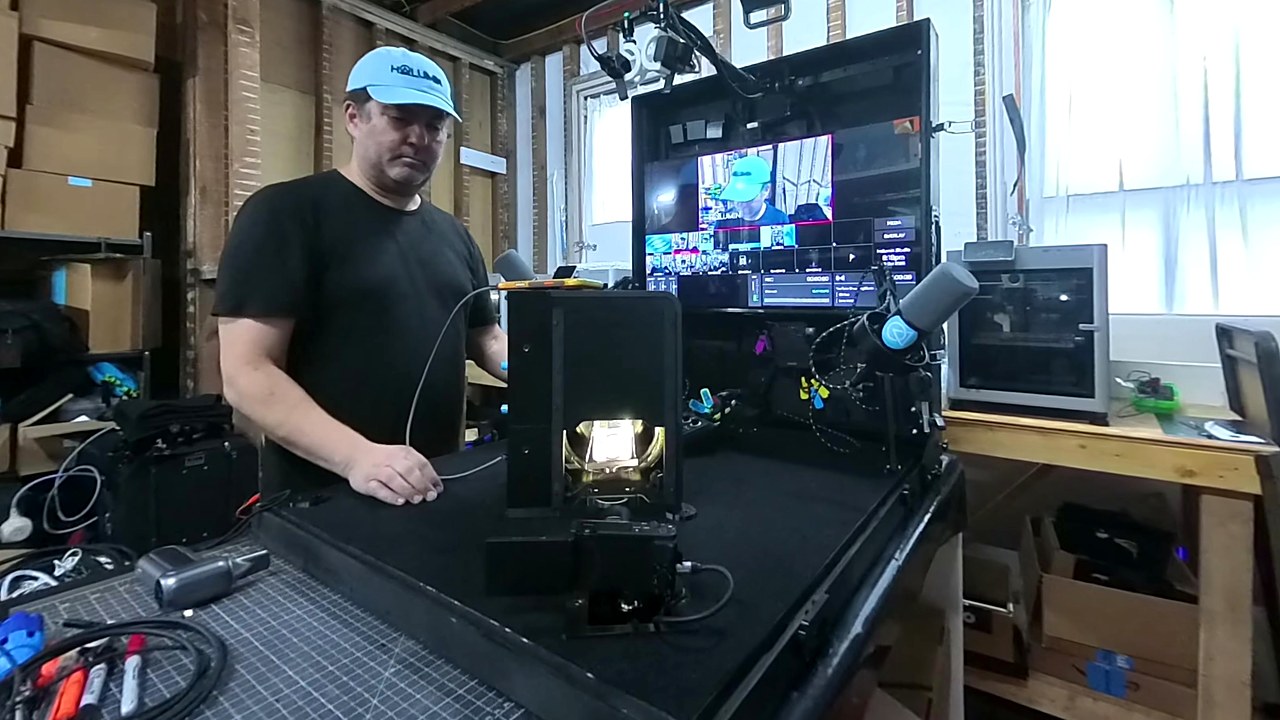
A few weeks later the side quest had a case: a mobile live production setup built on a bench in my brick workshop. I cut elements on my laser, made the latches, and let out at least one “ouch” on camera. A little after six on a Friday evening I switched it all on. The screen woke up, the Halumin-C glowed, and a 1904 Morgan dollar turned in the halo on the turntable camera. The same setup works for photographing slabbed coins through the plastic. “And we are live.”
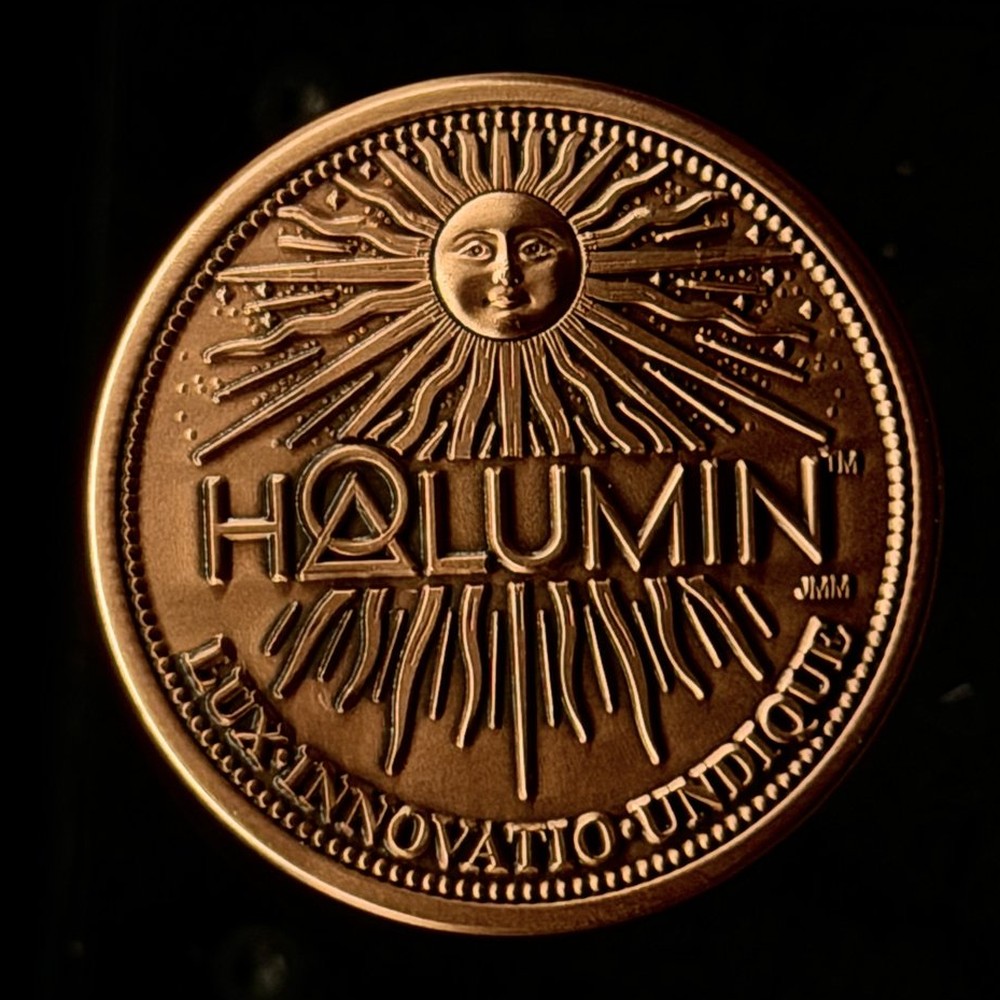
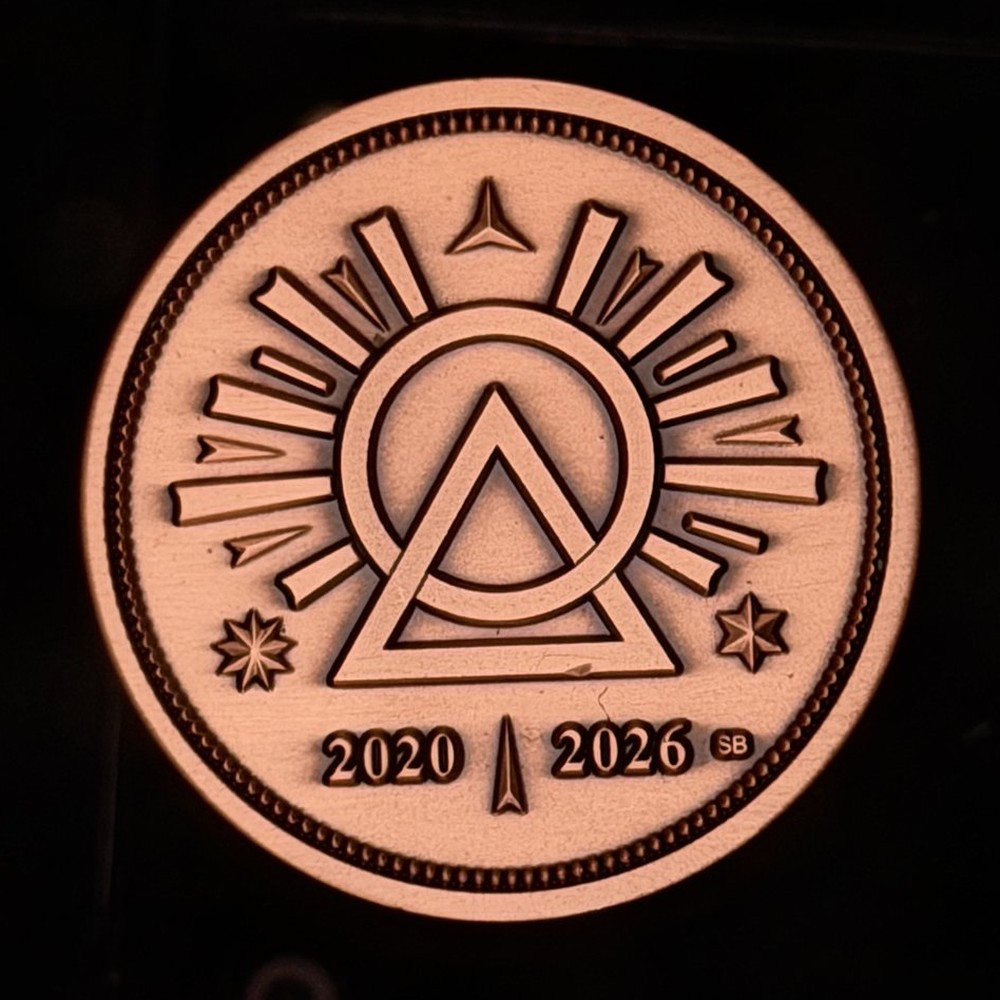
The Halumin copper coins, our Kickstarter backer rewards: the sun-face obverse and the circle-and-triangle logo reverse.
This series is for anyone building a self-contained, multi-camera rig: sellers, podcasters, demos and events. Selling online? Here is how to take better product pictures for eBay and other marketplaces. The goal: press record, make the video, press stop, and it’s ready to upload, or it has already streamed live.
Key takeaways
- Edit while you record. The console mixes cameras, mics and graphics into a finished program, and keeps every feed for a recut.
- Three cameras minimum for a demo: the item, the controls and you.
- Check how many cameras it can show at once. The ATEM Mini Pro I returned had four inputs but only one picture-in-picture window.
- One case: five cameras, two mics, a 32-inch screen and a RØDECaster Video, folded to 36 x 32 x 8 inches.
- Lid on, film anywhere. The turntable shot looks great in any room.
Watch the series
Side Quest 1: choosing the console
Side Quest 1: why I chose the RØDECaster Video over OBS and the ATEM Mini Pro (8:19)
Side Quest 2: building the rig
Side Quest 2: the first full power-on and a tour of the finished case (8:55)
Choosing the console
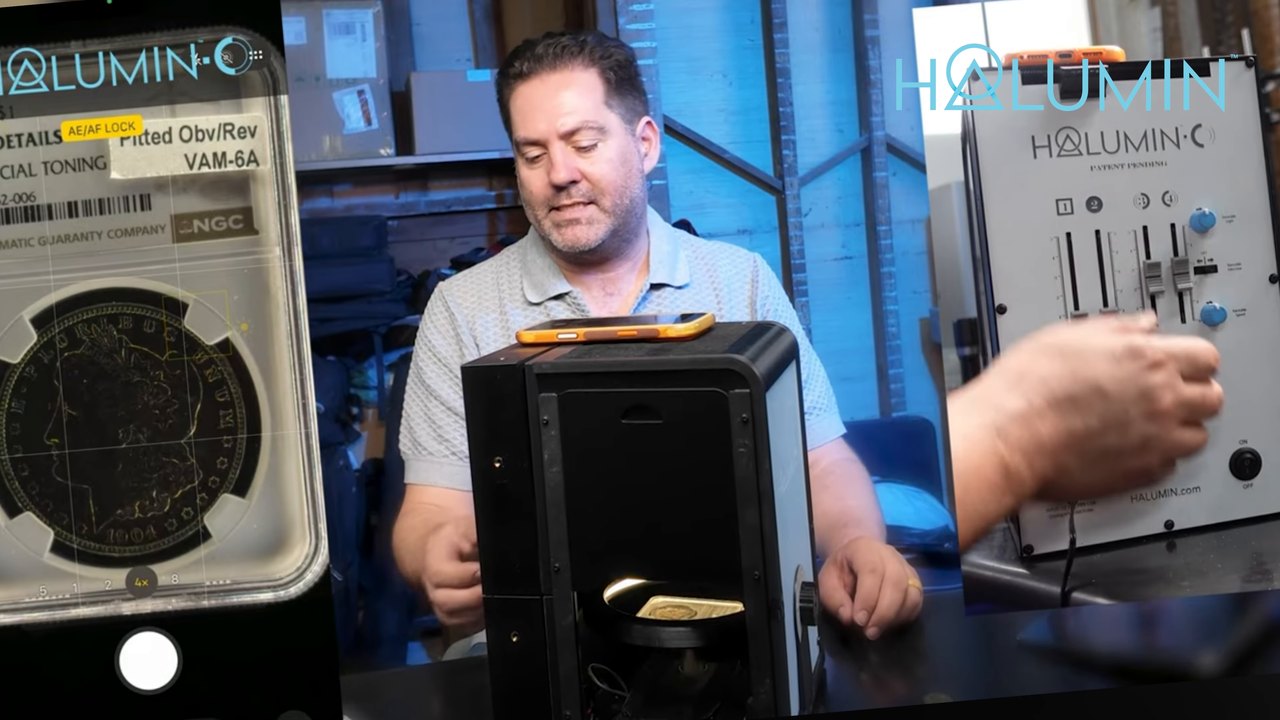
OBS Studio is free and simple, and it’s great for two-camera live selling on Whatnot, but more cameras mean more dongles. The cheaper Blackmagic ATEM Mini Pro allowed just one picture-in-picture overlay; my demos need the coin, the controls and me on screen together. The RØDECaster Video takes four HDMI and two USB inputs, holds seven scenes on preset buttons, mixes the audio, and, per RØDE, can record each input as a separate ISO file. Using a phone? Watch how to photograph coins with an iPhone in a live demo.
The camera plan
- HDMI cameras: a key shot of me, a guest camera (or a second down view of the table), a wide shot, and the always-ready Halumin-C turntable camera.
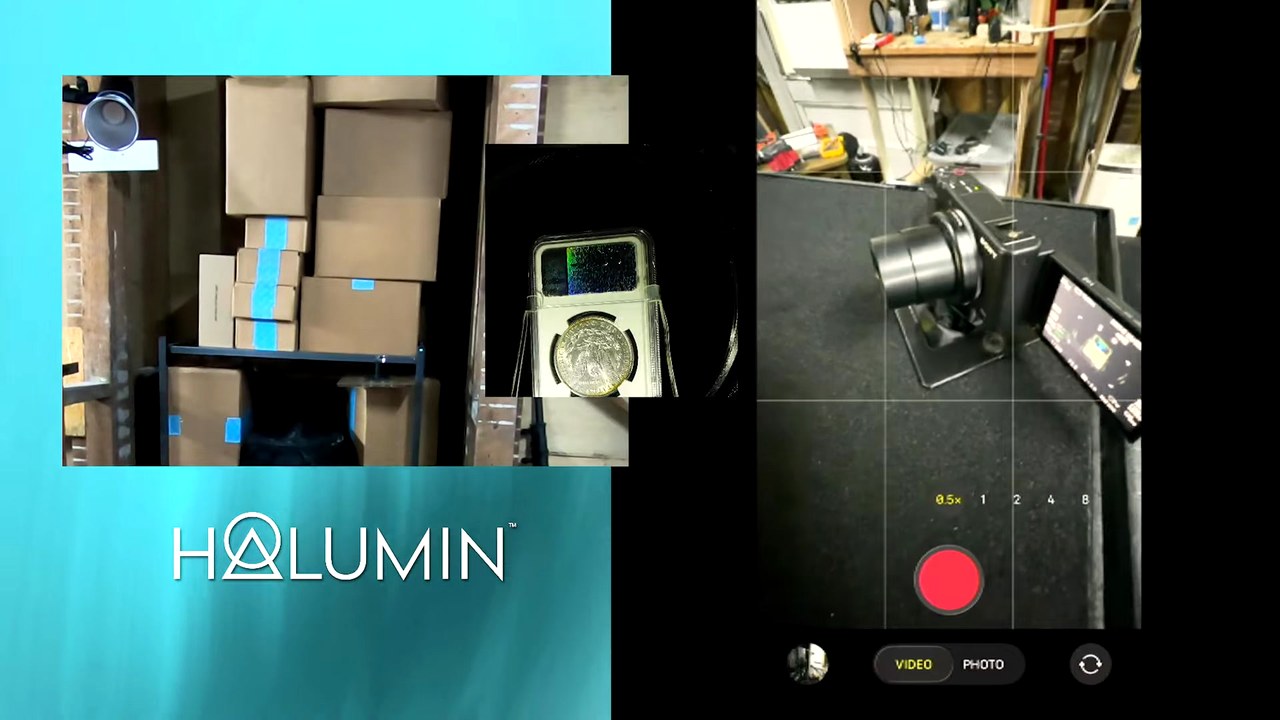
- iPhone on USB input 5 for close looks (the connection path is in the gear list).
- One free input for whatever comes next.
How to build a mobile live production setup
- List your shots. Decide which views must be on screen at the same time.
- Pick a console that can show them all. Check inputs and overlays.
- Build your scenes. Mine are an opening screen, a talking screen and a demo screen.
- Build the case around the screen and table. Mine uses laser-cut corners and hook latches.
- Mount cameras and mics. Telescoping arms, GoPro mounts and swivel mic mounts.
- Test at full capacity and secure every cable. One kept popping out on my first run.
- Record, switch, stop. Upload the program, and keep the separate recordings in case you want a recut.
Technique: the always-ready turntable shot
With the lid on, which is how Halumin-C is used by default, the turntable camera gets great images in any room. With the lid off for video, dimming the room helps. For live selling, set a coin on the turntable, talk, then swap in the next one.
Gear I used to build it
As an Amazon Associate I earn from qualifying purchases.
- RØDE RØDECaster Video: the console. It switches scenes, mixes the mics and records the program.
- Sony ZV-1: a compact camera mounted in its own port on the rig; it plugs into HDMI input 4.
- FIFINE AmpliTank K688CT USB/XLR dynamic microphone kit: dynamic mics on swivel mounts that focus on voices and cut show-floor noise.
- Kinhaly USB-C to HDMI adapter with charging port: the first link in my phone path. The iPhone goes into this HDMI adapter, a video capture dongle converts HDMI back to USB-C, and that plugs into the RØDECaster’s USB input 5.
- GoPro HERO13 Black Creator Edition: HDMI out through the included Media Mod. I personally use GoPro HERO7s (sold renewed) because they have HDMI built in, but they’re discontinued, so the HERO13 Creator Edition is a good option if you’re buying new.
Accessories
- Elgato Cam Link 4K: an HDMI capture dongle for the phone path (USB-A).
- UGREEN USB-C capture card: a budget capture option.
- ASUS VP327Q: a 32-inch 4K monitor for the program screen.
- JSAUX micro-HDMI to HDMI cable: for micro-HDMI cameras like the ZV-1 and HERO7.
- Amazon Basics HDMI cable: for full-size HDMI runs.
- Amazon Basics XLR cable: if you run your mics on XLR.
- Recessed road case handles: spring-loaded inset handles for the case.
Most of the mounting clamps and hardware on this rig are custom pieces I made myself, so you won’t find them on this list. If you’re building your own setup, think through your mounting options early, or contact me in the site chat about having a setup built for you.
Where the rig goes next
The rig’s first show is the South Carolina Numismatic Association’s 54th Annual Convention & Show, October 29–31, 2026, at the Greenville Convention Center in Greenville, South Carolina. Then it’s the Whitman Baltimore Coin & Currency Expo, November 12–14, 2026, at the Baltimore Convention Center.
Halumin-C: the light behind the turntable shot
It works with the camera or phone you already own. Slider 1 is the axial light; slider 2 is the tone light, a focused sliding spotlight for toning and cartwheel luster; and sliders 3–4 control the Open Cylindrical™ halo. With the lid, a sliding tray and a variable-speed turntable, it’s built for demos. See How to Use Your Halumin C.
Pre-order Halumin-C
Pre-orders lock in a $429 discounted pre-order price, and shipping is anticipated in Q1 of 2027.
Need one sooner? The I Need It Now Edition adds a handmade, made-to-order functional copy of the prototype that typically ships in 2–4 weeks and is non-returnable.
Frequently asked questions
What is a mobile live production setup?
It’s a self-contained video studio you can carry: cameras, microphones, a screen and a switching console in one case. The console mixes everything into a finished program while you record.
How many cameras do I need?
For a product or coin demo, three is a practical minimum: one on the item, one on the controls and one on you. My rig runs five cameras across six inputs.
Can I use OBS instead of a hardware console?
Yes. OBS Studio is free and simple, and it works well for two-camera live-selling streams on platforms like Whatnot. Beyond that you add dongles, which is why I moved to a console.
Can a GoPro be one of the cameras?
Yes, if it has HDMI out. I personally use GoPro HERO7s because they have HDMI built in, but they’re discontinued. If you’re buying new, the HERO13 Black Creator Edition outputs HDMI through its included Media Mod.
When does the Halumin-C ship and how do I pre-order?
Pre-orders are open at a $429 discounted pre-order price, and production units are anticipated to ship in Q1 of 2027. Need one sooner? The I Need It Now Edition, a handmade, made-to-order functional prototype copy, typically ships in 2–4 weeks and is non-returnable.
Summary: press record, make the video, press stop
A mobile live production setup moves the editing into the recording. Plan your views, choose a console that shows them all, build scenes, then record, switch and stop. Next stop: the show floor. Questions? Ask us in the site chat, or browse the Halumin FAQs.