Skip to content
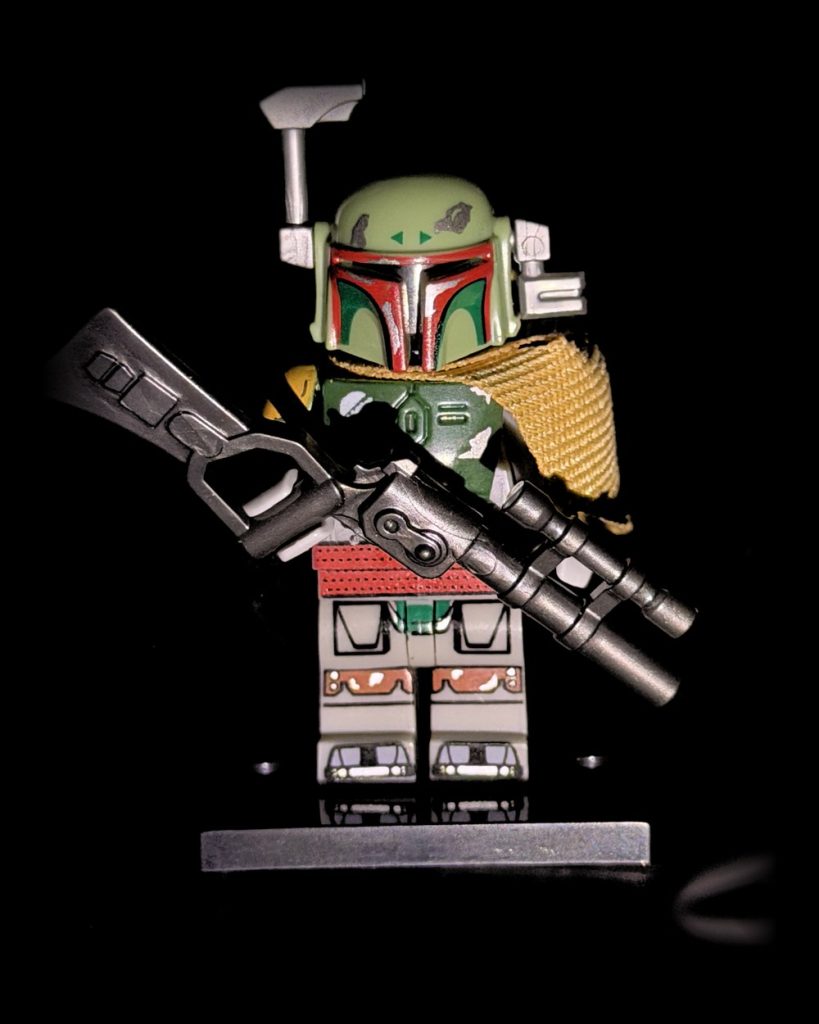
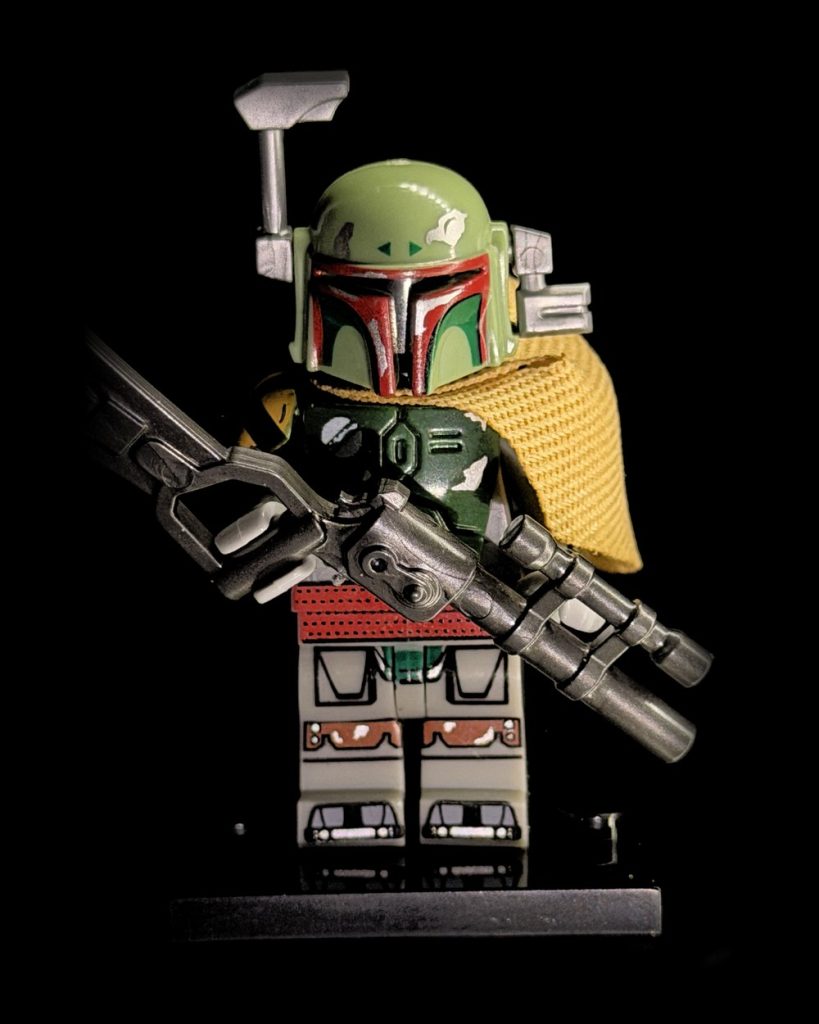
You kept asking about LEGO figures, and I finally had time to get to it. On a bright afternoon in the studio, with sunlight leaking in around the edges of the room, I picked up a little Boba Fett minifigure I'd found at a toy show, cape, blaster and all, and tried to balance him on a pedestal built for coins. It took more patience than I'd planned. He kept tipping. When he finally settled, lying flat on his back inside my Halumin-C prototype, he looked a bit like a bounty hunter on a medical bed, which was creepy and funny at the same time.
LEGO minifigure photography is small-object photography at its hardest: glossy printed plastic, tiny molded detail, deep shadows under the helmet and a cape with real fabric texture. In the video below I show how the Halumin-C handles all of it with three built-in lighting devices and just a phone, first for still photos and then on a turntable for a 360-degree video clip.
Key Takeaways
- Lay the minifigure flat on the pedestal for stills, and use the turntable for 360-degree video.
- Press and hold to lock exposure and focus (AE/AF lock), then drop exposure until the background goes black.
- The halo brings out depth and texture; split or twist it for a moodier, more natural look.
- The tone lighting device gives a hard, flash-like look; axial lighting gives soft, even front light.
- Mix all three to keep a glowing edge while filling in shadows.
Watch: A Boba Fett Minifigure From a Toy Show Inside the Halumin-C
This is one of my studio demos, shot on my Halumin-C prototype, so you'll see a knob stick and a part fall off along the way. I left that in, because it's part of the adventure of making things. The screen on one side shows the controls; the other side is the phone's point of view looking down into the device.
Why LEGO Minifigures Are Hard to Photograph
A minifigure is only about 1.5 inches tall, but it packs printed faces, glossy curves and sharp molded edges into that space. Ordinary room light flattens the print, puts glare on the helmet and leaves black holes under capes and arms. Your phone's camera also fights you: when the scene gets dark it brightens the exposure on its own, so you never get a clean black background. The Halumin-C solves both problems. It puts the lighting under your control, so you don't have to be a lighting expert, and at well under 3.5 inches a minifigure sits comfortably inside it.
A Little History of the Figure on the Pedestal
The minifigure itself has been around since 1978, when LEGO introduced the small figure with movable arms and legs that now populates nearly every set (overview). Boba Fett arrived the same year: the bounty hunter made his debut in the 1978 Star Wars Holiday Special before his big-screen turn in The Empire Strikes Back in 1980 (StarWars.com databank). His dented Mandalorian armor, T-shaped visor and long blaster have made him a fan favorite ever since. The one on my pedestal is a Boba Fett minifigure I picked up at a toy show, and all that printed armor detail is exactly what good lighting should bring out.
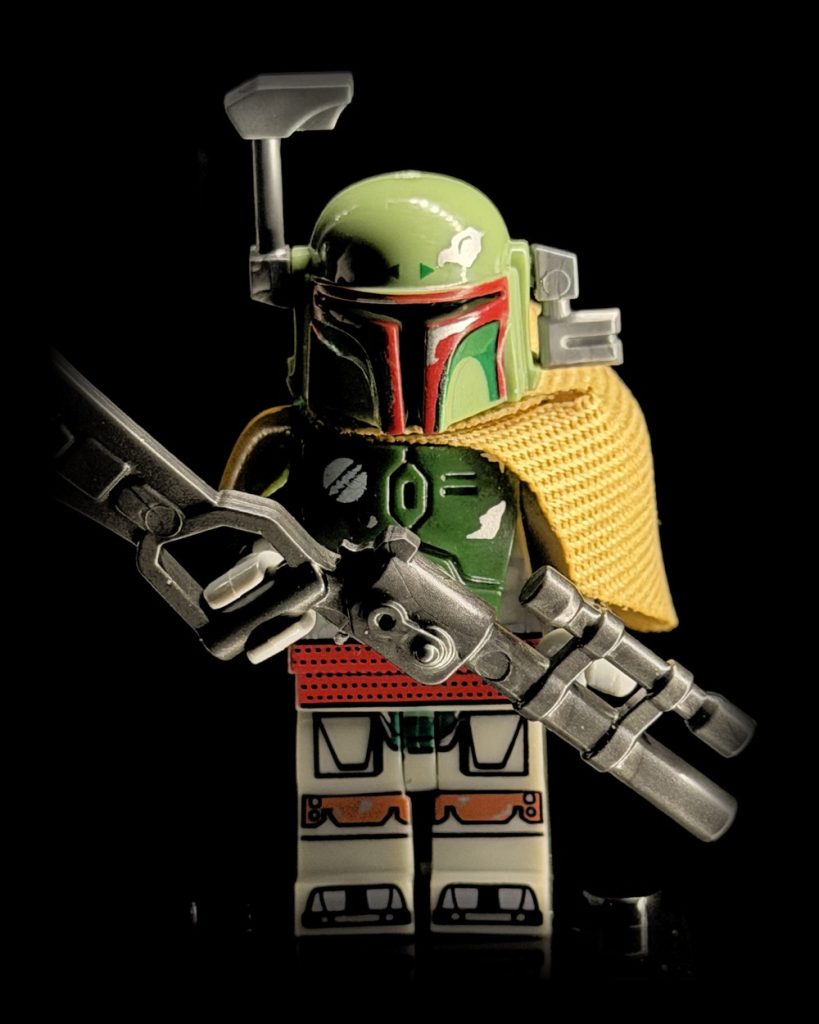
How to Photograph a LEGO Minifigure With Halumin-C: Step by Step
- Start dark. Set every slider to zero, then bring up the halo (sliders three and four) so you can see what you're doing.
- Place the figure on the pedestal. Lay it flat and centered. I don't have a dedicated LEGO holder yet, so balancing took a few tries. Let me know in the comments if you'd like one.
- Close the lid. With the lid on, the Halumin-C blocks out room light, so you can get great images in any room.
- Frame, then lock exposure and focus. Center the figure, then press and hold on the phone screen until you see AE/AF lock (iPhone) or a lock icon (Android).
- Pull exposure down until the background goes black. When the background drops to black, you're ready to shoot.
- Shoot each look. Take a photo with the halo, then with the tone lighting device, then with axial lighting, then try mixes.
Three Lighting Devices, Three Different Looks
The Halo: Depth and Texture
I started with the halo at about 30%, level around the figure with both sides at the same intensity. That's a good test shot, but it isn't usually the look I keep. Turn off one half of the ring, or set the two halves at different levels, and the figure gets more mood: a little glow on one side pulls him off the black background while the other side does the real illumination. Twist the halo and more light falls on the front for a more natural look. The halo is really good at bringing out depth and texture.
The Tone Lighting Device: Hard and Direct
The tone lighting device is a hard, focused pin spot, more like an on-camera flash. It gives a harsh, direct look that might be exactly what you want. It also moves, so you can slide it to change where the shadows fall on a figure like this.
Axial Lighting: Soft Front Light
Axial lighting comes from a panel that reflects onto a piece of glass, which then sends the light down from the exact same direction as your camera. It's a diffuse source, so it gives a really soft, direct front light. You can also use just one side of it.
Mixing the Looks
With the halo flat and a little axial lighting, the sides of the figure glow while the front stays filled in with very little shadow. Take the axial out and you're left with a dim glow around the edges. Mix in the tone lighting device instead and the figure looks like it's standing in a spotlight.
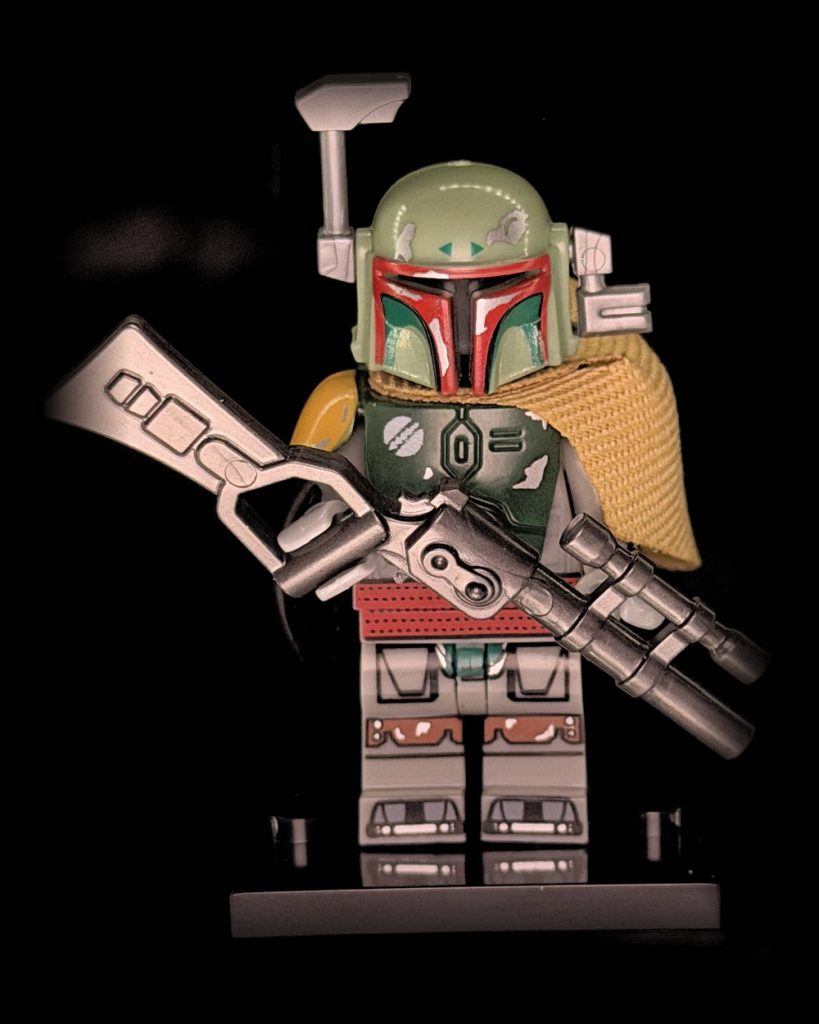
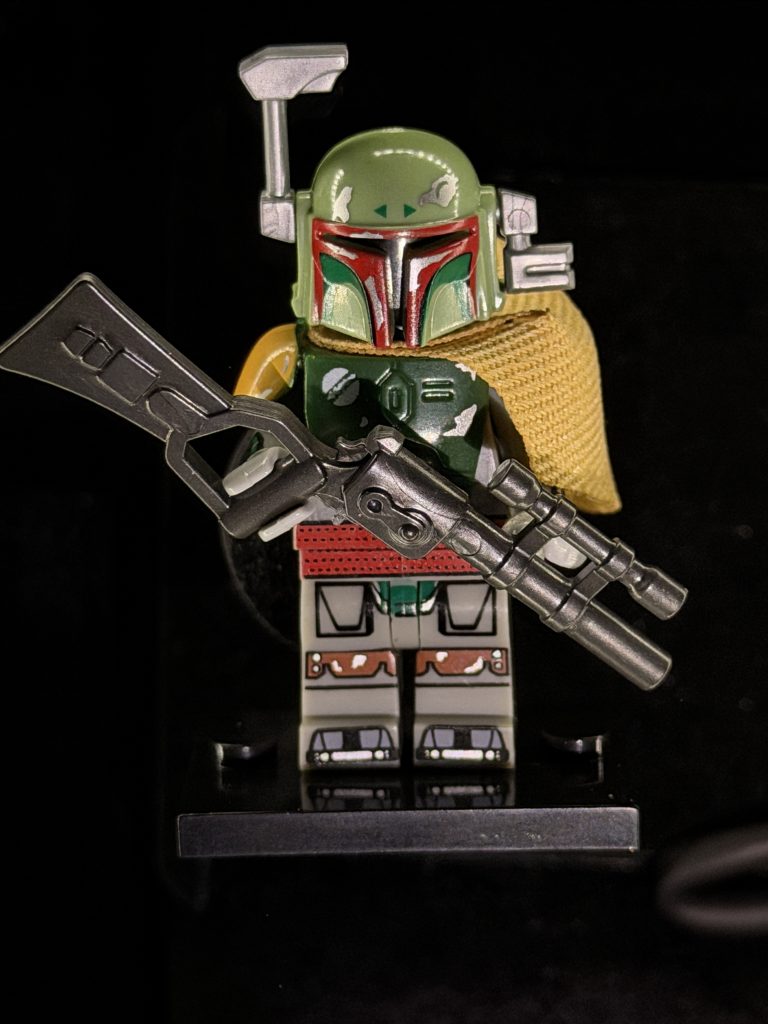
Turntable Video for Minifigures
For video, the Halumin-C has a turntable. It doesn't give you as much light control as the pedestal, but it's great for showing off a character from every side. I tilted the halo so it pointed all the way up and took the lid off. You can shoot with or without the lid; with it off, dimming the room helps. My room had sunlight coming in, so I kept the exposure set low to hold the background dark.
The turntable spotlights are hard, low lighting devices that shoot up at the figure from the front, like footlights on a stage. Turn the turntable on and the shadows shift as the figure spins, which is dramatic. One side of the halo from the top brings out the textures and relief, with a technological look that accents every contour. The tone lighting device from the back adds a little edge. Combine the top halo with a touch of the turntable spotlight and every contour, shine and gleam on the figure becomes visible.
Gear for Minifigure Photos and Turntable Clips
For the turntable video I moved my phone off the device and filmed from the side. A simple phone tripod keeps that framing steady: ULANZI MT-44 extendable phone tripod.
Dust shows up fast on glossy little figures, so I keep an air blower on the bench to clear the figure and pedestal before each shot: WOLFBOX MF100 electric air duster.
As an Amazon Associate I earn from qualifying purchases.
About the Halumin-C
The Halumin-C is a patent-pending lighting device with halo, tone and axial lighting built in, for coins, minifigures and other small objects about 3.5 inches or smaller. It works with your camera or phone, with no downloads, no subscriptions or extra fees and no AI. It's built to get the best image in camera in a single shot. For larger toys and figures, the patented Halumin H18 (U.S. Patent No. 12,181,778) uses Open Cylindrical™ lighting. Want to see one in person? Check where we'll be next on the events page.
Frequently Asked Questions
What Is the Best Way to Photograph LEGO Minifigures?
Use controlled lighting and lock your phone's exposure. In the Halumin-C, lay the figure flat on the pedestal, press and hold to lock exposure and focus, drop exposure until the background is black, then shoot with the halo, tone and axial lighting devices.
Can I Use My Phone for LEGO Minifigure Photography?
Yes. Everything in this demo was shot with a phone looking down into the Halumin-C. Android and iPhone cameras both let you press and hold to lock exposure and focus.
Why Should I Lock Exposure When Photographing Minifigures?
If exposure isn't locked, the camera brightens the image when the scene gets dark, so you lose the black background. With AE/AF lock, the lighting controls the look.
Which Lighting Gives the Most Detail on a LEGO Figure?
The halo is best at bringing out depth and texture. Axial lighting gives soft, even front light with few shadows, and the tone lighting device gives a hard, flash-like look. Mixing them often works best.
Can the Halumin-C Make Turntable Videos of Minifigures?
Yes. The Halumin-C has a turntable with low spotlights, and you can aim the halo up from the top for dramatic 360-degree clips that show every contour.
Do I Need to Darken the Room?
Not with the lid on, since the lid blocks room light. With the lid off, for example on the turntable, a dimmer room helps.
Summary: Pro Minifigure Photos Without Being a Lighting Expert
LEGO minifigure photography doesn't take a lighting degree. Put the figure in (mine is a Boba Fett minifigure from a toy show), lock exposure, play with the halo, tone and axial lighting devices, and you get professional stills in minutes. Then switch to the turntable for a short video. For more small-subject ideas, see Hot Wheels photography with Halumin-C, diecast car photography and 3D-printed toy photography. Meet Jeremy Mason McGraw, the inventor, and leave a comment on the video with what you'd like to see next.