Skip to content
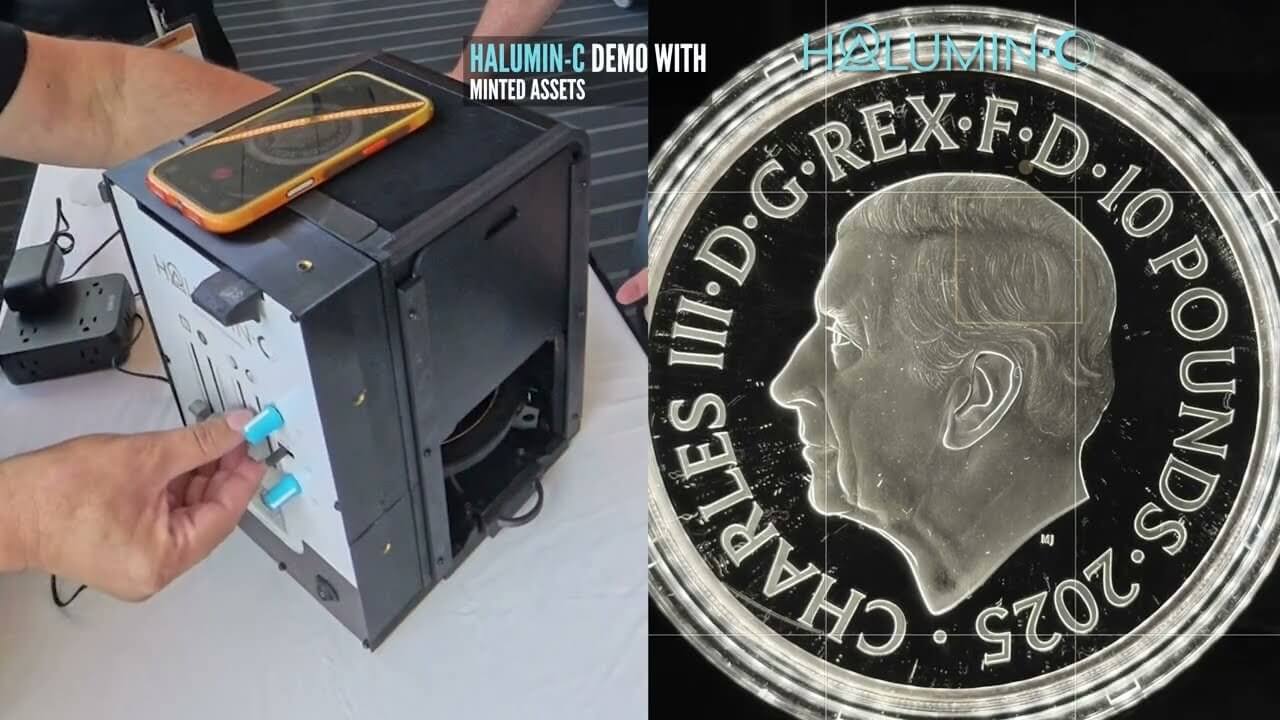
To photograph coins well, control the light before you touch the camera: block stray room light, light the relief from a low ring around the coin, set the field brightness on its own, then lock focus and exposure on your phone. In this live demo from the lobby of the ANA World’s Fair of Money in Pittsburgh, Halumin inventor Jeremy Mason McGraw shows how to do each of those steps on a large silver proof with an iPhone and the Halumin-C, with no studio, no apps and no AI filters. For a complete tabletop kit, see the Halumin Studio Set.
Proofs are hard to shoot because their mirror fields reflect everything in the room, and this demo was filmed in a bright convention lobby. Below are the video, the step-by-step method, Jeremy’s lighting recipes, and answers to common questions. For shooting on location, see the Halumin Freestyle Set.
Key Takeaways
- Lid on, shoot anywhere. With the lid on, the Halumin-C blocks room light, so you can use it anywhere with no need to dim the room. You can also use it with the lid off, where dimming the room helps.
- Relief comes from the halo. The angle of the ring and which halves are on decide how much texture and drama the coin shows.
- The field is a separate choice. The field (axial) light takes a proof from a black field to a bright, “milky” field without changing the relief lighting.
- Light a portrait like a portrait. Put more light on the face than on the back of the head.
- Lock exposure on the phone so the camera doesn’t undo your lighting choices.
- Shoot a 10–15 second clip while you move the light. Deep relief looks like the sun crossing the design.
- Repeatable settings scale. Once you find a look, you can reproduce it for a whole inventory.
Watch: Halumin-C Live Demo at the World’s Fair of Money
The 5½-minute video was filmed on site with Minted Assets during the American Numismatic Association’s 2026 World’s Fair of Money (August 25–29, 2026, Pittsburgh). Jeremy photographs the 2025 10 oz Queen’s Panther silver proof from The Royal Mint’s Royal Tudor Beasts series, then turns it over to the King Charles III portrait side.
Why Coin Photography Is Mostly a Lighting Problem
On a proof, the field acts like a mirror and the devices are frosted, so whatever the field reflects ends up in the picture. That is why a coin can look stunning in hand and flat online.
Professionals at PCGS remind you to remove or reduce every other light source in the room and to match your white balance to your lights. The traditional fix for mirror fields is axial lighting, which bounces light off angled glass straight down onto the coin. The Halumin-C combines these ideas: a lid that blocks room light, a ring (the “halo”) for relief, a field light and a tone light, each with its own control.
How to Photograph Coins with an iPhone: The Step-by-Step Method
This is the order Jeremy follows in the demo. The control names follow the published How to Use Your Halumin C guide. The same setup works for photographing slabbed coins through the plastic. New to the H18? Start with our H18 getting-started guide.
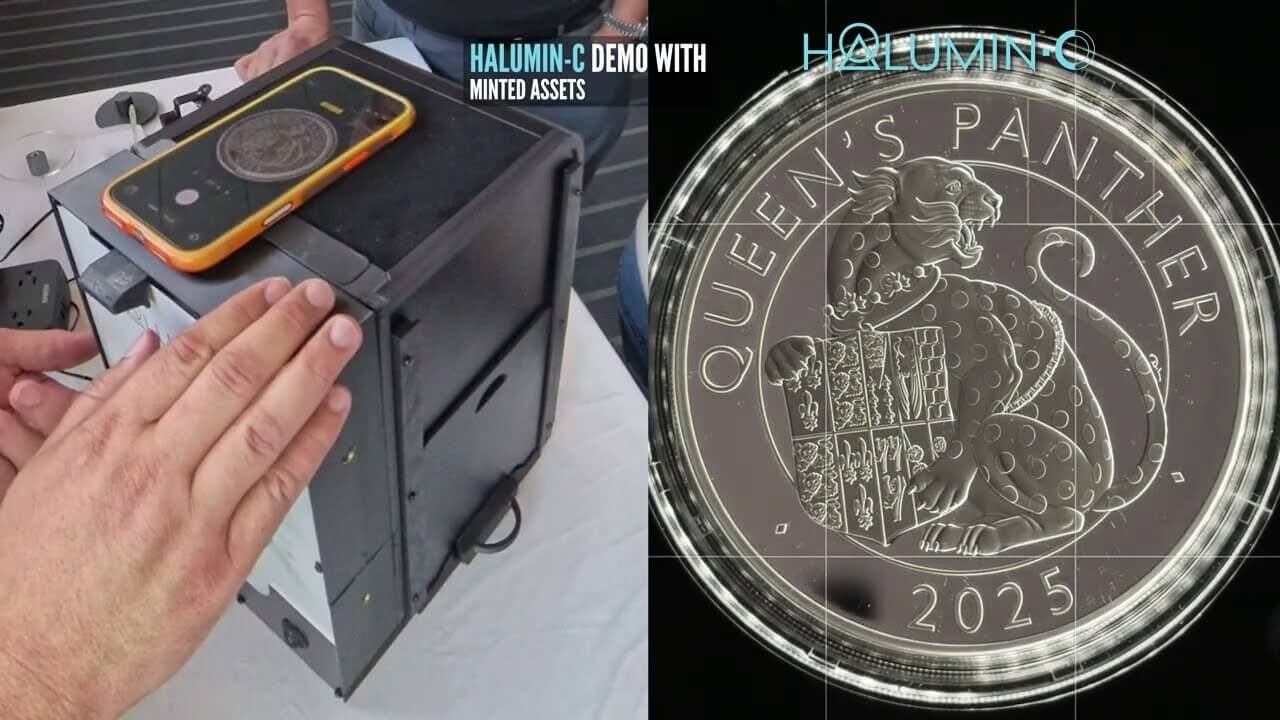
- Put the lid on. With the lid (viewing cover) on, only the Halumin-C lights reach the coin, so you can shoot anywhere, even in a bright lobby, with no need to dim the room. You can also shoot with the lid off; in that case, dimming the room helps.
- Stage the coin. Use the coin or slab pedestal and adjust the height so the coin sits just above the bottom edge of the halo.
- Set up the phone. Lay the iPhone on the viewing window, zoom to frame the coin, and turn off macro and portrait modes.
- Lock focus and exposure. Touch and hold the coin on screen until AE/AF Lock appears. If the image is too bright, drag down to lower the exposure. With exposure locked, the field can actually go black.
- Light the relief with the halo. Start with both halves even and the ring level. That lights all of the relief.
- Shape it with tilt. Tilt the halo so one half sits lower than the coin and the other higher. You get a gradient, and the middle of the design fills in.
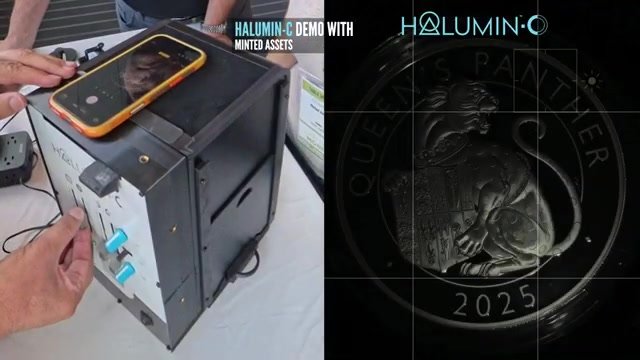
- Add drama. Turn off one half of the halo for stronger, single-direction shadows.
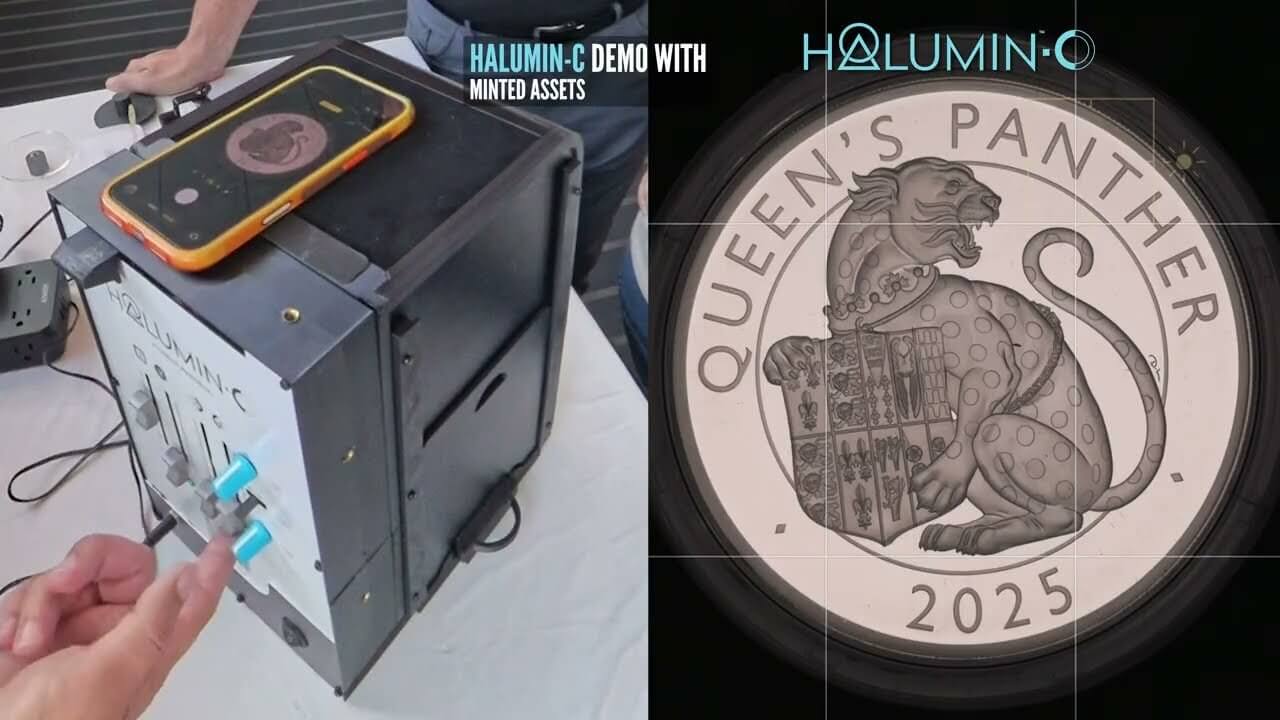
- Choose your field. Leave the field (axial) light off for a black field, or bring it up for a bright, milky field.
- Finesse with the tone light. A small amount brings out soft contours in the engraving.
- Capture stills and a short clip, then write down your settings so the next coin matches.
Should You Use iPhone Macro Mode for Coins?
iPhone macro mode can get very close, but at that distance the phone can block your light. Lock focus and exposure with a long press before you shoot.
How to Photograph Coins with Any Phone
The same approach works with any phone: set the light first, tap to lock focus and exposure, and shoot the coin straight on so the field stays even. For more, see how to take pictures of coins.
The Lighting Controls, One at a Time
The Halo: Where Texture Comes From
With both halves of the halo at 100% and the ring level, “it’s highlighting everything,” as Jeremy puts it. Tilt the ring and the light starts to wrap: one side drops below the coin and the other rises above it, and the center of the design fills in instead of only the edges catching light. Switch off one half and lay the ring flat again, and the shadows get, in his words, “really, really hardcore.”
Field Light: Black Field or Milky Field?
The first light, the tower panel that works as the field or axial light, mostly controls the field on a proof like this. The Queen’s Panther is struck so sharply that a black field looks great. On coins with slightly soft edges (Jeremy mentions a portrait without a crisp edge on the King Charles III portrait’s head), raising the field light helps separate the design from the background.
Some of it is taste. Jeremy notes that references such as the Red Book tend to show gold on black fields and silver with a milky look, for no technical reason he can find.
Tone Light: Soft Contours and “Life” in the Engraving
The tone light is the dedicated light for toned coins. On this proof, Jeremy uses only a touch of it, with the axial light raised so the field isn’t pure black. “We’re splitting hairs,” he admits, but the soft contours show up and the engraving gets “a lot of life.”
Portrait Sides: Light the Face, Not the Back of the Head
When the coin flips to the King Charles III obverse, the approach changes: “Think about this face like it’s a portrait.” The halo stays tilted with both sides on, but the side facing the portrait is a little brighter. Turning off one half darkens the back of the head and puts the attention on the face.
The Purist Shot: Axial Light Only
For collectors who want the classic look, Jeremy also shoots it “just axial light. That’s it,” and sets white balance to match. It’s the traditional look, popular partly because it was the main technology available for a long time. The Halumin-C does that look too, with more options when you want them.
Bonus Tip: Shoot a 10–15 Second Lighting Clip
Once you know the look you want, switch the phone to video and record a short clip while you move through the lights. On deep relief, the moving light looks “almost like the sun’s crossing” the design. These clips work well for social posts, live sales and listings.
How Halumin-C Makes Coin Photography Simple
The point of the demo is repeatable lighting, not just one good photo. According to the Halumin-C product page and store listing, the Halumin-C includes:
- A wide Open Cylindrical™ halo with independently controlled halves and tilt, for raw coins, slabs and larger pieces
- A field/axial light and a dedicated toned-coin light
- A lid that lets you shoot anywhere without dimming the room, which you can also remove for video (with the lid off, dimming the room helps), plus a sliding tray for quick coin swaps
- A variable-speed turntable for 360° clips
- Compatibility with any camera or smartphone, copy stands and coin microscopes, and battery operation
It’s real light in a single exposure, with no AI enhancement. Dealers and live sellers can shoot a whole tray of coins the same way. See early results in first user images with Halumin C and the full walkthrough in How to Photograph Coins with the New Halumin C.
Pre-Order Halumin-C
The Kickstarter was a success, and production is underway with American tool maker Pepetools. Pre-orders lock in a $429 discounted pre-order price, below the planned retail price, and shipping is anticipated in Q1 2027. Follow progress in the Halumin-C production updates.
Need one sooner? The I Need It Now Edition includes a hand-built prototype that ships in 2–4 weeks plus a production unit when they ship.
Frequently Asked Questions
What Is the Best Way to Photograph Coins with an iPhone?
Control the light first. Block stray room light (with the Halumin-C, just put the lid on; no need to dim the room), light the relief from a low ring around the coin, set the field brightness separately, and lock focus and exposure by touching and holding the coin on screen until AE/AF Lock appears. Turn off macro and portrait modes.
How Do I Reduce Glare When Photographing Proof Coins?
A proof’s mirror field reflects whatever is around it, so start with the Halumin-C lid on. It blocks ambient light, so you can shoot anywhere without dimming the room, and its halo and field light are set independently. You can also shoot with the lid off; then dim the room or block other light sources so only controlled light reaches the coin.
Should a Proof Coin Photo Have a Black Field or a Bright Field?
Either one can be right. A black field suits sharply struck proofs. A brighter, milky field helps when the edges of the design are soft. Many references show gold on black and silver on lighter fields mostly out of habit, so choose the look that best represents the coin.
Do I Need a Macro Lens or an Expensive Camera for Coin Photography?
No. The demo was shot on an iPhone. The Halumin-C works with any camera or smartphone, and also with copy stands and coin microscopes.
Can I Photograph Slabbed Coins with the Halumin-C?
Yes. It has a slab pedestal and a wide halo that covers slabs and larger pieces, and it was designed to make slab glare easier to handle.
Does the Halumin-C Use AI or Editing to Improve Photos?
No. It uses real, controllable light to capture the coin in a single exposure, with no AI filters or generated enhancements.
When Does the Halumin-C Ship and How Do I Pre-Order?
Production pre-orders are anticipated to ship in Q1 2027. You can pre-order on the Halumin store. The I Need It Now Edition adds a hand-built prototype that ships in 2–4 weeks.
Summary: Light First, Then Shoot
A great coin photo is a series of small lighting choices. The halo sets the relief and drama, the field light picks a velvety black or bright milky field, a touch of tone light adds life, and portraits get more light on the face. Lock your iPhone’s exposure so the camera keeps those choices, then grab a short clip of the light moving across the design. In the demo, all of that took a few minutes on a phone in a bright lobby, and the coin looked the way it does in hand.
New to Halumin? Meet the inventor in Who Is Jeremy Mason McGraw?, read about axial lighting for coin photography, or browse the Halumin FAQs.